
top pixel art platformers with challenging levels are usually the games you boot up for “one more try,” then realize an hour vanished because the jump that felt impossible is suddenly muscle memory.
If you’re hunting for that specific mix of crisp pixel art, tight controls, and levels that demand real focus, you’re in good company, but it’s also easy to buy the “hard” hype and end up with frustration instead of fun.
This guide narrows down standout tough platformers, explains what “hard” tends to mean in practice, and gives a quick way to pick the right kind of difficulty for your mood, whether you want precision gauntlets, brutal bosses, or punishing exploration.
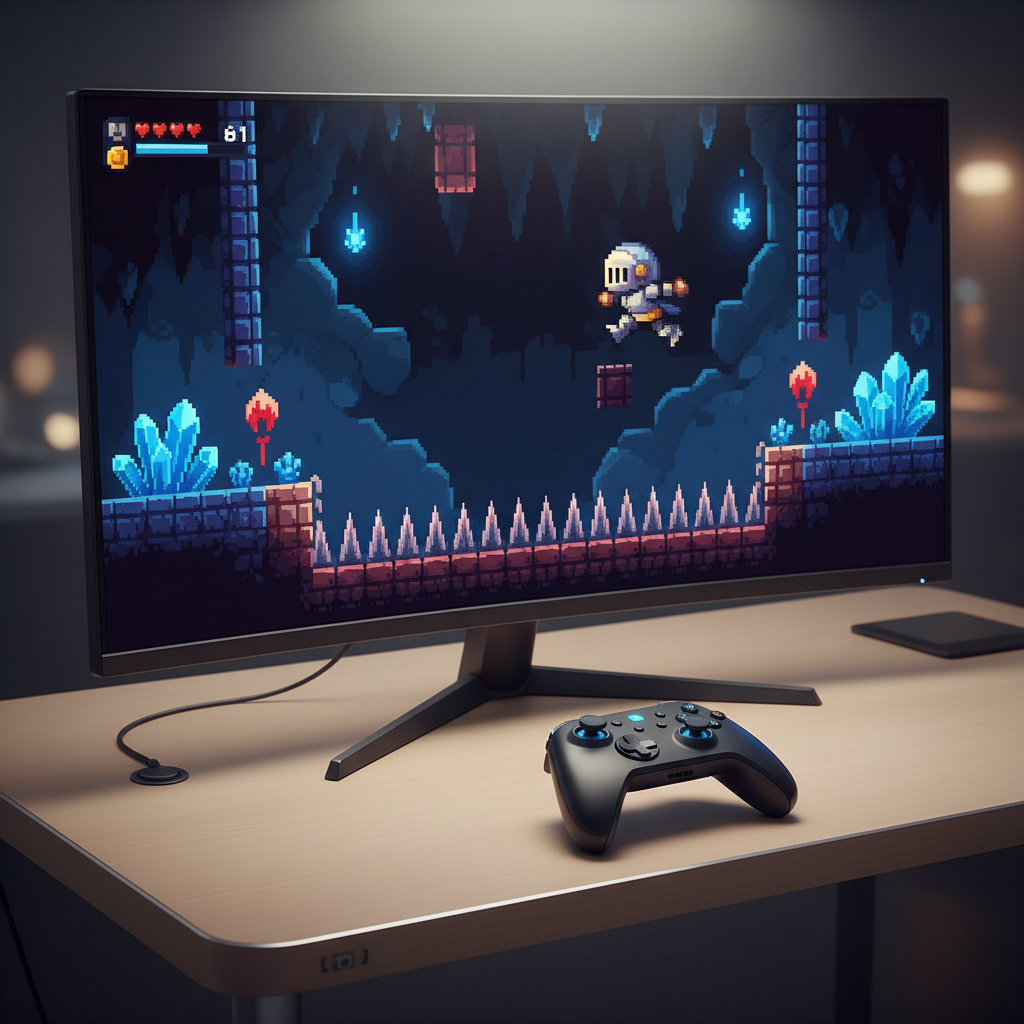
What “Hard Levels” Really Means in Pixel Platformers
“Hard” gets used loosely, so it helps to separate the flavors of difficulty, because the wrong flavor can feel unfair even when the game is well made.
- Precision platforming: tight jumps, small safe zones, moving hazards, and sequences where timing matters more than combat.
- Combat pressure: enemies punish panic, bosses demand patterns, and mistakes snowball fast.
- Limited resources: healing is scarce, checkpoints are spaced out, or saving is constrained.
- Knowledge checks: you die because you did not know what was coming, then you replay cleaner with information.
- Execution under stress: long rooms, multi-phase fights, or chase segments that test consistency.
One more thing people overlook, difficulty also includes friction, like slow restarts or unclear hitboxes. A hard game can still feel fair when restarts are fast and controls stay predictable.
A Quick Comparison Table (Difficulty, Style, Why It’s Tough)
Below is a practical snapshot, not a ranking. “Hard” depends on what you struggle with, and many of these games offer optional challenges that crank intensity way up.
| Game | Core Challenge | Why It Feels Hard | Good Fit If You Like… |
|---|---|---|---|
| Celeste | Precision rooms | Demanding inputs, advanced optional levels | Fast retries, clean movement |
| Super Meat Boy | Micro-precision | Blistering speed, razor-thin margins | Short, repeatable attempts |
| Shovel Knight: Treasure Trove | Combat + platforming | Enemy placement, bosses, momentum traps | Retro feel with modern polish |
| Hollow Knight | Exploration + bosses | Long treks, pattern mastery, resource risk | Metroidvania depth |
| The Messenger | Tricky traversal | Movement tech, late-game complexity | Speedy ninja flow |
| Dead Cells | Runs and builds | Permadeath structure, scaling difficulty | Action-heavy roguelites |

Top Picks: Pixel Art Platformers With Challenging Levels
You can argue about “the hardest,” but these are consistently mentioned because their difficulty feels intentional, not sloppy.
Celeste
Celeste is the poster child for fair difficulty. The main path is challenging, while optional content becomes a serious skill test without forcing it on everyone. If you want top pixel art platformers with challenging levels that still respect your time, fast respawns matter a lot here.
- What makes it tough: precise movement chains, demanding timing, and late-game rooms that punish hesitation.
- Why people stick with it: instant restarts and readable level design reduce “cheap” deaths.
Super Meat Boy
This is pure execution. Levels are short, difficulty spikes quickly, and the game asks you to commit routes to muscle memory. It’s punishing, but also honest, you usually know why you failed.
- What makes it tough: speed, wall jumps, momentum control, and hazards that leave no margin.
- Best played: in short bursts, otherwise frustration can outpace learning.
Shovel Knight: Treasure Trove
Shovel Knight sits in a sweet spot where old-school challenge meets modern readability. It is not “one hit and you die” brutal most of the time, but levels and bosses often test spacing, rhythm, and greedy play.
- What makes it tough: enemy patterns, knockback risks, and bosses that punish sloppy healing windows.
- Why it works: the challenge feels curated rather than random.
Hollow Knight
Not every screen is a precision gauntlet, but difficulty builds through boss fights, long return trips, and the pressure of losing resources when you die. This is where “hard” often comes from stakes, not only mechanics.
- What makes it tough: pattern-heavy bosses, long-form exploration, and the risk-reward loop.
- Heads-up: if you dislike backtracking, the difficulty may feel harsher than it is.
The Messenger
It starts approachable, then ramps into sections that demand clean movement and quick adaptation. If you enjoy mobility tricks and route optimization, the difficulty reads as a fun puzzle.
- What makes it tough: platforming sequences that chain abilities and punish missed inputs.
- Who it’s for: players who like momentum and flow.
Dead Cells
Dead Cells is “hard” in a different way, it’s about runs, builds, and decision-making under pressure. You can play carefully, but the game nudges you toward speed, which raises mistakes.
- What makes it tough: permadeath structure, escalating difficulty tiers, and enemies that punish hesitation.
- Good to know: your skill grows, but so does the game’s demand for consistency.
Self-Check: Which Kind of Challenging Level Do You Actually Want?
Before you buy or reinstall, it’s worth asking what type of hard you can enjoy on a Tuesday night. The wrong match is how people bounce off great games.
- If you like clean practice loops: choose games with fast respawns and short rooms, like Celeste or Super Meat Boy.
- If you want long-form mastery: look for boss and exploration difficulty, like Hollow Knight.
- If you enjoy “build” decisions: roguelite pressure like Dead Cells stays fresh but can feel swingy.
- If you hate losing progress: avoid long checkpoint gaps, or pick modes that soften penalties.
- If your hands get tired: prioritize adjustable difficulty, assist options, or slower pacing.
According to Xbox Accessibility Guidelines (XAG), accessibility features like remapping and adjustable challenge can help more players enjoy games without removing meaningful difficulty, which is a useful lens when you evaluate “hard but fair.”

Practical Tips to Survive (and Enjoy) Hard Platformer Levels
Most players don’t need better “reflexes,” they need a better practice loop. A few habits make tough stages feel learnable instead of random.
- Play for information, not the clear: on early attempts, aim to discover what kills you and where safe spots exist.
- Break rooms into chunks: stop trying to “hero run” an entire level, practice the first third until it becomes automatic.
- Use audio cues: many hazards signal timing with sound, turning panic jumps into predictable rhythm.
- Change one variable: if you keep dying, adjust either timing or route, not both, otherwise you can’t tell what worked.
- Set a quit rule: after 15–20 failed attempts with no improvement, step away for five minutes, frustration is real input lag.
If you’re looking for top pixel art platformers with challenging levels specifically for skill growth, treat each death as a note, not a verdict, the best hard games are basically training tools in disguise.
Common Mistakes That Make “Hard” Feel Unfair
This is where good games get blamed for bad expectations. A few traps show up repeatedly.
- Chasing 100% too early: optional challenge rooms often assume late-game mastery, saving them can keep the main adventure fun.
- Ignoring control settings: remap jump/dash if your thumb position causes mis-inputs, it’s not “cheating,” it’s ergonomics.
- Speedrunning a first playthrough: rushing raises error rate, and then you decide the level design “spikes” when it’s just stress.
- Not learning the fail state: if you can’t name why you died, you’re not practicing yet, you’re gambling.
According to Apple Human Interface Guidelines, responsiveness and predictable feedback are core to good interaction design, and games that feel fair often follow the same principle, you act, the game responds clearly, you learn.
How to Choose Your Next Game (Without Regretting It)
If you want a simple selection method, pick your difficulty anchor first, then let art style and theme be the tie-breaker.
- Want pure platforming pain, fast retries: lean toward Celeste or Super Meat Boy.
- Want retro action with bosses: Shovel Knight fits that “tough but playful” lane.
- Want an exploration world with high skill ceiling: Hollow Knight is a commitment, but the payoff is real if you like discovery.
- Want challenge that stays fresh via randomness: Dead Cells is strong, but accept that some runs end quickly.
One more buying tip, check whether the game offers assist options, practice modes, or generous checkpoints. Those details matter more than the marketing phrase “brutal difficulty.”
Key Takeaways
- Hard has types: precision, combat, knowledge, resource pressure, and consistency challenges feel very different.
- Fair difficulty usually equals fast iteration: quick respawns and readable hazards keep learning smooth.
- Pick based on your stress tolerance: short-room practice differs from long boss runbacks.
- Settings are part of the experience: control remapping and accessibility options can turn frustration into flow.
Conclusion
The best hard platformers are the ones where you can feel yourself improving, even when the level refuses to budge for a while. If you choose based on the kind of challenge you enjoy, top pixel art platformers with challenging levels stop being a punishment and start becoming a hobby inside your hobby.
If you want a concrete next step, pick one game from the table, play for 45 minutes with a “learn, don’t clear” mindset, then decide whether the difficulty feels fair to you before committing long-term.
FAQ
What are the top pixel art platformers with challenging levels for beginners?
Many beginners do well with games that have fast respawns and clear hazards, because you can learn without long punishment. Celeste is often recommended since the main path teaches skills gradually, while optional content waits until you’re ready.
Are hard pixel art platformers “unfair” by design?
Not usually. The unfair feeling often comes from slow checkpoints, unclear hitboxes, or surprises you could not reasonably predict. When a game provides clear feedback and quick retries, tough levels tend to feel demanding rather than cheap.
Which game is harder: Celeste or Super Meat Boy?
It depends on what breaks you. Super Meat Boy pushes constant execution at speed, while Celeste’s optional challenges can become extremely precise but are easier to approach in small chunks because of its structure.
Do roguelites like Dead Cells count as platformers with hard levels?
They can, even if the “levels” are run segments rather than fixed stages. The challenge comes from run management and consistent combat, so it’s a good pick if you want variety and don’t mind restarts.
How can I tell if a hard platformer is worth sticking with?
Give it enough time to learn one mechanic. If deaths start to look different, meaning you reach new spots or survive longer, the game is teaching you. If you keep dying in the same confusing way, it may be a design mismatch for you.
What controller settings help with difficult platforming?
Jump and dash on comfortable buttons, and remap to reduce thumb travel if you mis-input under stress. If the game offers input buffer or assist options, testing them for a few rooms can show whether the difficulty becomes “clean” instead of slippery.
Is it “cheating” to use assist mode in a hard platformer?
In most single-player games, it’s more about tailoring the experience. If assist options help you practice movement or reduce repetitive failure, you can still engage with the level design and gradually scale difficulty back up.
What’s a good way to practice a level I keep failing?
Pick one checkpoint and repeat it until you can clear it three times in a row, then move forward. Consistency beats lucky clears, especially in games built around precision.
If you’re trying to pick among tough games and want a more “no regrets” approach, make a short list of two or three, watch a few minutes of raw gameplay to confirm the style of difficulty, then choose the one whose failures look like something you’d actually enjoy learning.